Xilisoft Video Editor v1.0.34.1218 Portable  

Saturday, August 28, 2010

Xilisoft Video Editor v1.0.34.1218 Portable


Xilisoft Video Editor v1.0.34.1218 Portable 15.5 Mb

No need to be worried about formats, frame rate or file sizes, the functions of video join, split and cut can be easily achieved by Xilisoft Video Editor. The video editing software allows you to edit video files in various formats like AVI, MPEG, H.264, SWF, MOV, WMV, etc. for playback on popular devices like iPod, iPhone, PSP, PS3, and so on. The three processes, video join, split and cut, can run in background without too much space occupation. As a video joiner, splitter and cutter, Xilisoft Video Editor has an intuitive interface and makes it easy to turn original videos into works of art. And also you can watch the video in the preview window. Xilisoft Video Editor is well worthy of having a try.

* Join multiple videos and combine them into one
* Split one video into several segments
* Cut off the unwanted segments of your video Handy video editing settings serve your video edit The video joiner, splitter and cutter provide relevant video edit settings video edit software * Format choice in joiner You can join many videos in different formats at one time and the format of output file will be one of the input formats.
* Preferences in joiner Xilisoft Video Editor allows you to set frame rate, bit rate, and resolution to get the best effect.
* Manual or auto split Split manually by dragging the slider to locate the split point. Or split automatically by setting split time or file size, or averagely.
* Choose desired clips to output Cut off any clips you want and they will be shown in list. If you are not satisfied with some clips, you can directly delete them in the list and output the desired clips as a one. Edit video Various output parameters Detailed serves will make your video editing process accurately at fast speed video editing software
* Various parameters The comprehensive video editing software provides many detailed parameters including frame rate, video bit rate, and resolution. By setting them, you will get expectant effects in a short time.
* Support preview The video edit software supports previewing the source video and target file. If necessary, you can adjust the sequence of output video file. Video Editor Run Xilisoft Video Editor in background The whole video editing process under user's full control video edit software
* Run in background You can run the video editing software in background when cutting, splitting or joining video to possess less space.
* After done action Xilisoft Video Editor can automatically shut down or do other actions when the cutting, splitting or joining is finished.
* Preview video The video editor provides large preview window for you to preview the original and the output file.
* Multiple languages and skins The video editing software supports two pretty skins and multiple languages including: English, German, Japanese and Chinese.
References Input File Format Support
Video AVI, MPEG, MPG, MPEG-1, MPEG-2, MPEG-4, WMV, MP4, MOV, VOB, ASF, 3GP, 3G2, SWF, H.264, QT, DAT Output File Format Support Video AVI, MPEG, MPG, MPEG-1, MPEG-2, MPEG-4, WMV, MP4, MOV, VOB, ASF, 3GP, 3G2, SWF, H.264, QT, DAT
System Requirements
OS Microsoft® Windows XP (SP2 or later), Windows Vista Processor 1GHz Intel/AMD processor or above
RAM 256MB RAM (512MB or above recommended)
Free Hard Disk 30MB space for installation
Graphic Card Super VGA (800×600) resolution, 16-bit graphics card or higher.


AddThis Social Bookmark Button

PicaLoader 1.6.6 Build 8766 (Portable)  

PicaLoader 1.6.6 Build 8766 (Portable)
PicaLoader 1.6.6 Build 8766 Portable 6,85 Mb
PicaLoader - Award-winning Picture Downloader for find, view, download and manage millions of pictures from the web easily. It is a useful utility that helps you find, download and organize pictures you find on the web. Very popular with digital artists, designers, photographers, webmasters, journalists and other people who need to quickly and efficiently get pictures form the web in large volumes.
For example:
Found a wonderful page with lots of great pictures, but don’t want to click one by one by yourself to download pictures?
Found a great pictures link site, but don’t want to check out pictures from every link?
Interested in pictures, but scared of viruses and pop-up advertisements?
Wanna get lot of pictures but also want save money on website subscriptions?
Downloaded many pictures, but always forgot where you put them?
Key Feature of Picture Downloader
Connect to Internet
Multithread download, 50 max threads, the fatest picture downloader.
Resumes broken downloads.
HTTP proxy servers are supported(Include mostly NTLM proxy).
Download Pictures
Advanced HTML Analyst Engine, it can followed almost every links, include JavaScript, VBScript, JScript links and it is security against viruses and malicious scripts.
HTML Parser Script, Built-in script language, you can totally control the HTML parser process.
Advanced Picture Filters Engine, include several picture filter profile, for example, High- Definition photo, Gif Animation, 800X600 WallPaper, 1024X768 Wallpaper, etc. And you can define your own picture filter profile to filter pictures by Size, Definition, Type, etc. It filter pictures by analyst picture file's header recorder, no need to download entire pictures to local machine.
Search a sequence of pictures and to search a picture sequence by number, even if the picture is not visible in the target site.
You can Pause the download at any moment , and you can modify the pictures filter before you resume the download.
Save every picture's name, size, create time, download time, referrer URL, and the picture's notes for you.
Manage Downloaded Pictures
Promethean Pagination Thumbnail Browser, quickly load thumbnails, expediently navigate between pages. Manage million of pictures quick and easy.
When you downloading pictures, the new pictures can add to browser immediately.
You can sort pictures by rating, name, size, width, height, time, notes, referrer URL, width*height, etc.
You can search pictures by name, size, width, height, time, notes, referrer URL ,etc, and display search result in thumbnail browser.
Can select pictures between different pages, and copy, move, delete these selected pictures.
Set picture as Windows wallpaper.
Can set a password for your project, others can't open your project without your password.
View pictures
Preview pane, to view current selected picture.
Full screen viewer, shrink images to fit the screen or view them full-size. View and scroll through full-size images quickly, can also flip/rotate/mirror picture.
Slide Show, can display a sequence of pictures as a slide show, each picture being shown in the Full screen mode for a predetermined time.

AddThis Social Bookmark Button

Magic Burning Studio 11.6.0.289 Portable  

Sunday, August 15, 2010

Magic Burning Studio 11.6.0.289 Portable


Magic Burning Studio 11.6.0.289 Portable | 76.1 Mb

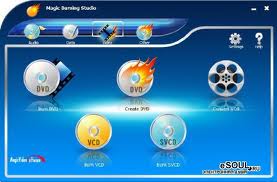
Magic Burning Studio is a powerful software which can meet all your needs in burning data, audio and video to CD/DVD/VCD/SVCD. It also gives you a full and customized control of your burning files, such as selecting file system, changing CD-text, defining title and artist, adding disc label, defining burning speed and burning mode...
Many current CD/DVD burning programs are universal everything-including-the kitchen-sink applications that are overloaded with countless confusing functions. Magic Burning Studio makes life easier by concentrating on what you really want to do!
Magic Burning Studio will be considered as an easy-to-use burning program that c! reates discs in just a few steps. Even if you are a novice in ! burning, Magic Burning Studio also offers you an enjoyable experience without hassle.

With Magic Burning Studio you can:
• Create MP3 CDs/DVDs discs.
• Burn movies as video DVD, video CD (VCD) or super video CD (S-VCD).
• Create and burn CD/DVD Images.
• Burn WAV, MP3, WMA and Ogg files directly to audio CDs.
• Burn data to CD/DVD.
• Burn DVD video folder
• Erase disc
• Burn MP3 CD
• Grab audio from CD
• Burn ISO file to CD/DVD
• Grab CD/DVD to ISO/WAV/MDS
• Create DVD
• Convert video files to VOB
• Copy disc
• Show information about recorder

AddThis Social Bookmark Button

Portable AFT Impulse 4.0  

Portable AFT Impulse 4.0 | 17 Mb

Portable AFT Impulse 4.0 | 17 Mb

Waterhammer analysis tools of the past have been noted for being difficult to use and requiring extensive specialized knowledge. As a result, this critical aspect of piping system design and operation has often been overlooked. But no longer. Now AFT Impulseâ„¢ offers the ease-of-use of a drag-and-drop interface and built-in waterhammer modeling expertise. AFT Impulse helps you design and operate your systems with greater reliability and safety by avoiding the potentially catastrophic effects of waterhammer and other undesirable system transients.

Piping systems engineers typically do not have the time to become specialists in waterhammer modeling. Now they don’t have to. Now they can be equipped with the proper tools to design and analyze for waterhammer transients in liquid systems containing water, petroleum and chemical products, cryogens, refrigerants and more. Waterhammer specialists will find a no compromise tool capable of modeling a broad range of waterhammer events, including transient cavitation and various surge suppression devices. AFT Impulse provides a built-in library of fluids and fittings, variable model configurations, pump and control valve modeling and much more. Scenario Manager raises the what-if potential of waterhammer modeling to a new level. Multiple system configurations varying by any modeling parameter are easily managed within a single model file with a familiar hierarchical interface. Changes in the base model are automatically inherited by alternate design cases.

AFT Impulse incorporates a steady-state solver providing seamless transfer of initial conditions to the transient analysis. The traditional Method of Characteristics are employed to solve the transient mass and momentum equations of pipe flow. Modeling vapor cavitation and liquid column separation, the effect of pressure surges due to vapor cavity collapse may be evaluated. Modeling tools for a wide range of system components and surge devices are included. Transients can be initiated based on time or on events in the system. For example, a valve closure transient may be initiated when a specified pressure level is attained at a location. In addition to time varying fluid dynamics, AFT Impulse can calculate transient hydraulic forces on piping for use in calculating pipe stresses and even generate a CAESAR II force file for direct importation to this popular pipe stress analysis tool.

From the powerful drag-and-drop model building features to the fully customizable output, AFT Impulse is a powerful tool ready to tackle your most demanding design problems, and with the release of version 4.0, AFT Impulse further expands you ability to analyze and design your piping systems dynamically.

The portable app does not require installation. Make as many copies as you need. Carry it in a flash drive and use on any computer, even without administrator access. No change of any setting on the host computer. No more conflicts with other applications. No more 'hijacking' of file types.

AddThis Social Bookmark Button

Portable AFT Fathom 7.0  

Portable AFT Fathom 7.0


Applied Flow Technology Fathom 7.0.2010.02.11 | 34.1 MB


The most comprehensive system modeling software available with powerful incompressible pipe network flow analysis, heat transfer, time simulation, automatic goal seeking, cost calculations and built-in tools for modeling a wide range of piping system components.
Extend AFT Fathom%27s modeling capabilities with three, available Add-on Modules:
* XTS-eXtended Time Simulation to model dynamic system behavior
* GSC-Goal Seek and Control to automate the determination of input parameters that will yield desired output values and simulate control functions within systems
* CST-CoST calculations of pipes and components
See a listing of the many new features found in version 7.0 here.
AFT Fathom employs a robust solver using proven matrix methods to solve the governing equations of pipe flow. The full power of this technical sophistication is readily accessible through an advanced visual interface. From the powerful drag-and-drop model building features to the fully customizable output, AFT Fathom becomes an extension of the engineer’s mind, freeing him or her to focus on their system, not the mechanics of software manipulation. Scenario Manager raises the what-if potential of system modeling to a new level. Multiple system configurations varying by any modeling parameter are easily managed within a single model file with a familiar hierarchical interface. Changes in the base model are automatically inherited by dependent design cases.
More than just pipe flow analysis, AFT Fathom lets you build your piping system in software. Vary pipe sizes, pump curves, valve settings, fluid properties, operating lineup... virtually anything you can do with the real system can be done within AFT Fathom, accurately simulating the individual system components and their interaction. Whether you%27re designing new systems, modifying existing ones or analyzing system operations, The ability to analyze alternates and the insight provided by an AFT Fathom model significantly improves the quality of systems engineering you can achieve, leading to less costly, more efficient and more reliable piping systems.

AddThis Social Bookmark Button

AFT Arrow 4.0 (Portable)  

AFT Arrow 4.0 (Portable)

Portable AFT Arrow 4.0 | 20 Mb

AFT Arrow 4.0 provides comprehensive, compressible pipe flow analysis and system modeling capabilities combined with ease-of-use. Addressing open and closed loop systems, AFT Arrow includes a built-in library of fluids and fittings, variable model configurations, fan/compressor and control valve modeling and much more. With the optional Chempak add-in, a thermo-physical database of approximately 600 gases is available to further expand the envelope of your analysis and design. AFT Arrow goes beyond the boundaries of fluid flow analysis, with thermal analysis capabilities including piping heat transfer, heat exchanger modeling and varying fluid properties.

The portable app does not require installation. Make as many copies as you need. Carry it in a flash drive and use on any computer, even without administrator access. No change of any setting on the host computer. No more conflicts with other applications. No more 'hijacking' of file types.


AddThis Social Bookmark Button

Photoshop CS4 Portable Deutsch  

Monday, August 9, 2010

Photoshop CS4 Portable Deutsch

Adobe Photoshop Lightroom 2.2 Portable (English/Deutsch) | 16.27 Mb

Simplify photography from shoot to finish. Adobe® Photoshop® Lightroom® 2 software is essential for today's digital photography workflow. Now you can quickly import, process, manage, and showcase your images - from one shot to an entire shoot. With Lightroom 2, you spend less time in front of the computer and more time behind the lens.
Adobe® Photoshop® Lightroom? software is the professional photographer's essential toolbox, providing one easy application for managing, adjusting, and presenting large volumes of digital photographs so you can spend less time in front of the computer and more time behind the lens. So you can spend less time sorting and refining photographs, and more time actually shooting them. Its clean, elegant interface literally steps out of the way and lets you quickly view and work with the images you shot today, as well as the thousands of images that you will shoot over the course of your career. Because no two photographers work alike, Adobe Lightroom adapts to your workflow, not the other way around.
Lightroom lets you view, zoom in, and compare photographs quickly and easily. Precise, photography-specific adjustments allow you to fine tune your images while maintaining the highest level of image quality from capture through output. And best of all, it runs on most commonly used computers, even notebook computers used on location.

New Adobe® Photoshop® Lightroom® 2 helps you sort and find the photos you want faster, target specific photo areas for more precise adjustments, and showcase your talent using more flexible printing templates. A host of other new features and enhancements make Lightroom 2 anessential upgrade for professional photographers.

Organize effortlessly
- Automatically organize photos using Smart Collections
- Work with high-quality previews of offline images from multiple libraries and drives
- Automatically import and process high-volume shoots
- Use custom keywords to organize photos Enhanced
- Automatically rename files on import and convert to universal Digital Negative (DNG) format
- Manage photos and volumes even when they're offline
- Quickly find any photo with powerful sorting and filtering
- Apply custom presets to images on import/export
- Access and edit a comprehensive set of metadata fields
- Browse groups, compare photos, and zoom in on details
- Create virtual copies of photos to save hard-disk space

Correct, enhance, edit
- Target specific areas of a photo for dodging and burning
- Expand your workspace across multiple monitors
- Enjoy state-of-the-art 64-bit memory handling
- Tightly integrate with Adobe Photoshop CS4
- Easily compare before and after versions of photos
- Precisely convert color to black and white
- Eliminate dust, specks, and red eye
- Retrace your editing steps to return to any version of a photo

Showcase your talent
- Easily transfer images to popular photo-sharing sites
- Access a rich community of export plug-ins and web gallery styles at the Lightroom Exchange
- Print more efficiently with flexible and customizable templates
- Create web galleries with no coding required
- Sharpen photos when you output to print or the web
- Stamp your photos with metadata on output
- Compose sophisticated slide shows with music

AddThis Social Bookmark Button

Design by Amanda @ Blogger Buster